


Tesla Companion App
Your Tesla. Your way.
A smarter dashboard MOAGAUGE
MOAGAUGE is an instrument display app for Tesla drivers.
See your speed, battery, driving distance, and more at a glance.
With a choice of dashboard themes and flexible layouts,
create a driving display that feels like yours.

Themes & Colors
A theme for every drive.
A dashboard of your own.
Choose a high-resolution dashboard to match your mood and your interior,
then switch it up whenever you like.

Two-Finger Gesture
Swipe with two fingers.
Switch dashboards with ease.
A simple two-finger swipe
quickly takes you to a different dashboard theme.


Park in a safe place before switching screens or changing settings.

Realtime Telemetry
Live vehicle data
at a glance
Connect to a supported Tesla through Bluetooth to bring driving data to your dashboard. From current speed and media playback to battery level and regenerative braking power, see the vehicle information you need at a glance.
Custom Layout Engine
Your layout, your way
Go beyond the fixed factory layout. Adjust the speedometer size, each widget’s position and even navigation card opacity. Fine-tune your dashboard to suit the way you drive.
 Editable dashboard layout


Seamless Maps
KakaoNavi & Google Maps
in 2D or 3D
 KakaoNaviGoogle Maps
See directions from KakaoNavi in South Korea and Google Maps in supported regions outside South Korea. Choose a wide 2D top-down view or an immersive 3D navigation view where supported by the region and service.
Map and route options, including 2D and 3D views, may vary by region, device and connected service.
Multi-Route Recommendations
Recommended · Toll-free · Highways
Find your preferred route
Explore route suggestions that take traffic into account.
Compare tolls and estimated travel times at a glance in one compact module.
Sample routes · Actual travel time, distance and tolls depend on traffic and the connected service.
Smart Vehicle Sync
Your Tesla destination, synced
See the destination set on your vehicle’s touchscreen in MOAGAUGE too. Import destination information from supported vehicles to reduce the need to enter the same destination again on your dashboard.

Safety First
Smart features
for safer driving
From intuitive animations that reflect speed changes to flashing overspeed alerts and speed camera warnings.
See the information you need while driving in an easy-to-read format.
OVERSPEED BLINKING ALERT

Flashing overspeed alert

Speed camera warning
Guidance is for reference only. Always prioritize road signs and your vehicle’s instrument panel. Stop safely before changing app settings or interacting with the screen.

My Vehicle Customizer
Make the vehicle
on your dash your own
Choose your in-app 3D vehicle model and color to create a Tesla dashboard that feels like yours.
Fleet Garage Support
Multiple Teslas
one easy switch
From the family car to your business Tesla, add multiple supported vehicles and easily choose which one to connect to use each vehicle’s dashboard.
Vehicle switching demo · This preview is not connected to a real vehicle.
Global Languages & Fonts
More languages. More fonts.
Support for Korean, English, Japanese, Chinese and more,
with a choice of fonts that complement your Tesla.
KOREAN
나만의 테슬라
System Custom Font Applied
ENGLISH
YOUR TESLA DASH
System Custom Font Applied
JAPANESE
マイ テスラ ダッシュ
System Custom Font Applied
CHINESE
我的特斯拉仪表盘
System Custom Font Applied
Before you drive
Frequently asked questions.
01Which vehicles and devices does MOAGAUGE support?+
MOAGAUGE is a companion instrument display app for Tesla drivers. It supports iOS 17.0 or later, with Android 12.0 or later support planned for the Android release. Check the app’s release information for supported vehicle models and device compatibility.
02How do I connect to my vehicle?+
Connecting requires a supported Tesla and key registration on the vehicle. Follow the app’s Bluetooth connection instructions while near the vehicle. You need lawful permission to use the vehicle and Bluetooth permission on your device. Available vehicle data and features may vary by vehicle model, software and connection status.
03How do destinations and maps work together?+
MOAGAUGE can display the destination set in a supported vehicle. Directions use KakaoNavi in South Korea and Google Maps in supported regions outside South Korea. Recommended, toll-free and highway-preference routes, toll information, 2D or 3D views and speed camera guidance may vary by region, map service and device.
04Are portrait, landscape, light, and dark displays supported?+
Supported iOS and Android devices can use portrait and landscape layouts in light and dark modes. You can adjust the dashboard’s size, position, and opacity to suit your device’s resolution and mounting orientation.
05Can I adjust the display while driving?+
Do not switch screens or change layout settings while driving. Park in a safe place before making changes. Always give priority to the vehicle’s built-in instrument cluster, actual road signs, and applicable traffic laws.
06When will MOAGAUGE launch?+
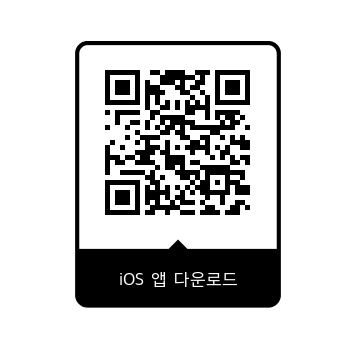
Download the iOS app using the App Store button or QR code on this page. Explore the app in free demo mode; some features, including connecting to a real vehicle, require a paid subscription. The Android app is planned for release in September; we’ll share the Google Play link at launch.
Meet MOAGAUGE.
Your Tesla dashboard.
A more intuitive, smarter driving experience.
MOAGAUGE, a new companion for Tesla owners.
iOS 17.0 or later / Planned support: Android 12.0 or later
Download the iOS app from the App Store. The Android app is planned for release in September.
Ask about the launch